Saturday, April 25, 2009

Caprica: Watch on Panasonic VieraCast or Tivo HD

I want to watch the preview of next season's Caprica TV show and am looking into streaming it to my TV.

Amazon Video on Demand allows you to view the show online, download to a PC or portable device, and also send it to either a TiVo box or connected device, which in my case is a Panasonic TV with VieraCast.

Once you sign up and register your device, you can watch either way. The differences are interesting.

Let's look at hte specs:

TiVo HD
File Size 3.8 GB
Bitrate 5000 kbps
Aspect Ratio 1.78:1
Audio Channels 5.1
With the TiVo you are downloading the video and watching like you would any other TiVo show. NOte the audio is 5.1.

Pansonica VieraCast
Variable Bitrate
300 Kbps
600 Kbps 480p
900 Kbps 480p
1.2 Mbps 480p
2.5 Mbps 720p HD
Aspect Ratio 1.78:1
Audio Channels 2
With VieraCast you are streaming the video in real time with no wait to start watching. Quality will vary depending on your bitrate.

I'm getting a download speed of 29,728 so I should see the highest quality.

Have you tried either of these methods. I'd love to hear you thoughts.

I purchased this episode on Amazon On Demand and when my purchase was complete, I clicked to Download it to my TiVo.

Got this acknowledgement back.


I like the idea of being able to pause the show with my TiVo.

Epic Win! EpicFu on TiVo HD

Saturday, March 21, 2009

iTiVo: TiVo to Mac File Transfer and Encoding

I downloaded a recording from my TiVo HD over the internet to my Mac using iTiVo.

The TiVo HD only needs ONE Multi-STREAM CableCARD


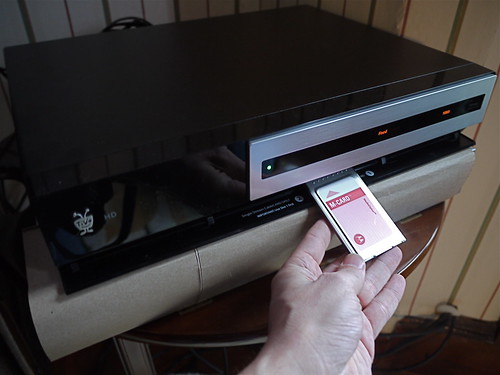
The TiVo HD only needs ONE Multi-STREAM CableCARD to allow dual tuner features.

The CableCARD goes into the TiVo and not into the TV.

Comcast came over today to install my CableCARD.

After I purchased the TiVo HD, I DM'd Frank on twitter at @comcastcares.

He confirmed that I only needed ONE CableCARD. I told him that I could find out how to order it online. You can't. You have to call on the phone.

So Frank scheduled the appointment for me.

I set up the TiVo, so it would be ready to go when the Comcast installer arrived.

He came with TWO Multi-STREAM CableCARDs. He told me some people want two cards to blah blah blah two screens blah blah blah.

He confused me.

Based on everything I had read, and what Frank told me, I only needed one card to allow dual tuner features.

So I told him to wait and I called Frank on the phone.

Frank confirmed that I only needed one card. He explained further that in some of the older TiVo Series 3 units, TWO Multi-STREAM CableCARDs are used to get around certain problems. Those problems do not exist on BRAND NEW TiVO HD units.

So one card was installed and everything works fine.

I just checked Grey's Anatomy and 30 Rock recorded fine. At the same time.

TiVo HD Installation - What's on CH 6?

Since I'm getting a new 50" Plasma TV as part of the Living in HD program from Panasonic, I decided to get a TiVo HD. This is not a part of the Living in HD program. I bought this on my own.

If you've been following my blog, you'll know that I was the first Comcast TiVo customer in the Boston Area. I wanted to give Comcast a shot. It was problematic.

One of the biggest problems is that it does not give you ANY indication of how musch space is left to record new shows. Recently I've been deleting unwatched shows to make room for new recordings. Not good.

It wold be nice if Comcast allowed us to add external storage. But they do not.

So I got a new TiVo HD and installed it tonight in anticipation of the new Panasonic TV being installed tomorrow.

TiVo HD

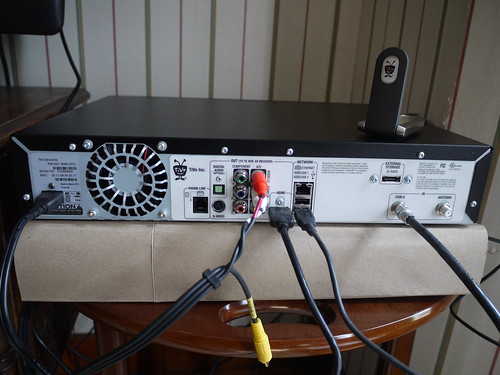
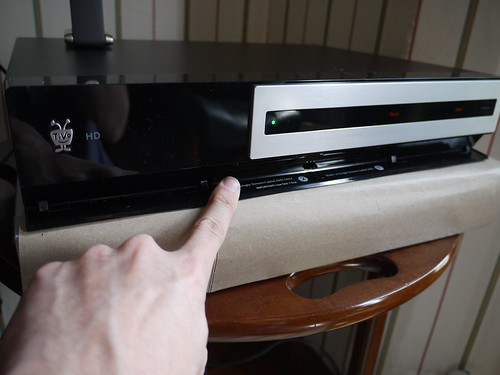
In this photo you can see I hooked up the Comcast cable, HDMI video out, right and left audio out, WiFi USB connection and the poer cable.

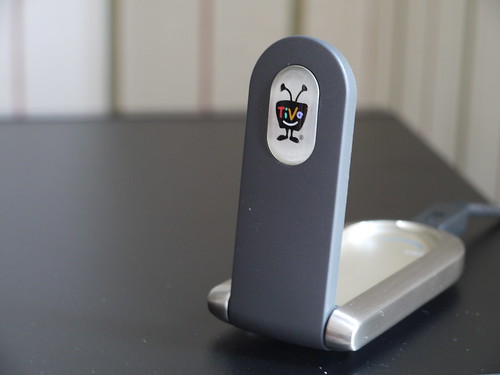
The TiVo USB WiFi adapter is one of the nicest consumer products I've ever seen.

TiVo HD

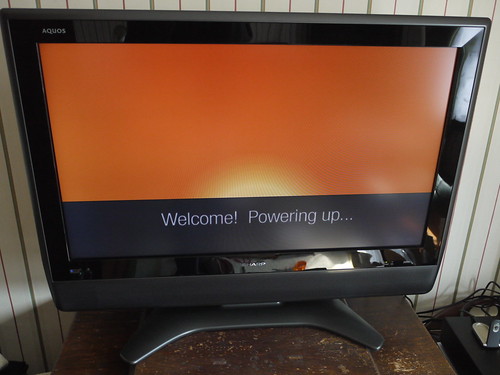
I hooked it up and turned on the TiVo.

TiVo HD

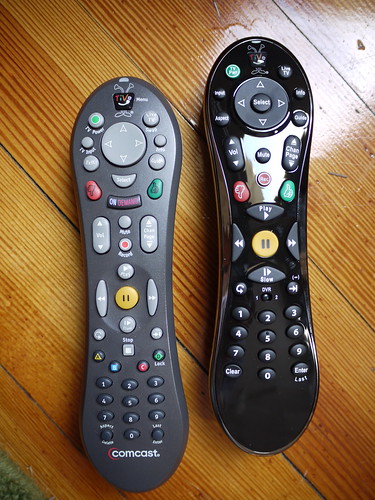
The actual TiVo remote is nicer than the Comcast TiVo remote.

TiVo HD

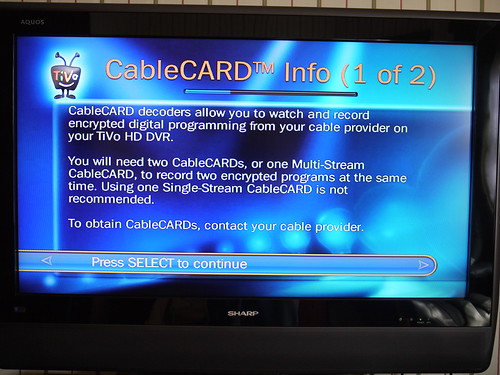
The way you set things up is that you install the TiVo without the Cable card and then the Comcast installer comes in ansd installs the Cable Card.

TiVo HD

The TiVo HD only needs ONE Multi-STREAM CableCARD to allow dual tuner features.

The CableCARD goes into the TiVo and not into the TV.

TiVo HD

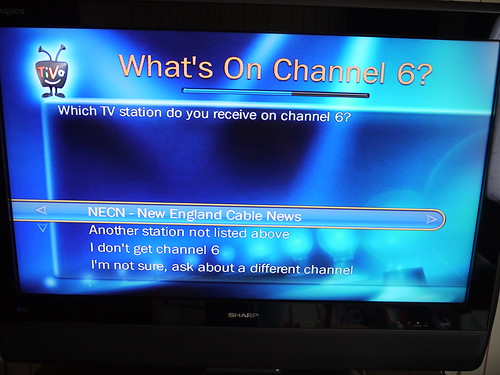
In the set up process the TiVO askes what channel I get on Ch 6.

TiVo HD

Ha! That just changed around. Correct answer NECN.

So now everything is set for the install.

I also took some time to install the TiVo Desktop aplication on my Mac. Now I can stream Photos and Music from my Mac to my Tivo. Very cool.

Next up from twitter friend @magnify "Now that you've got Tivo Desktop, you can go all the way!!! Jailbreak: http://alwayson.goingon.com/permalink/post/31541"